Updated August 11, 2026.
Quick Answer: How Independent Musicians Use AI In 2026
Independent musicians use AI best when they treat it as release infrastructure, not as a replacement for the artist. The practical workflow is: finish the song, choose the release goal, test a short visual direction, generate the main music-video asset if AI fits, then turn that visual world into social clips, lyric assets, Canvas-style loops, thumbnails, captions, and platform copy.
For VibeMV specifically, the strongest use case is finished-song audio to music-video assets. Upload MP3, WAV, AAC, M4A, FLAC, or AIFF audio, choose 16:9 or 9:16, decide whether Scene or Lipsync fits the section, and budget from the Base model rate of 2 credits per generated second before an optional 2K version, regeneration, or the Pro model.
This page is not a market-size report. It is a workflow guide for independent artists who need to release consistently without turning every single into a full filmed production.
Which guide should you read next? This page explains the broader AI release system. For music-video production specifically, read AI music video for independent artists. If you are choosing a tool, read best AI music video generator for independent artists. If budget is the main question, read cheapest way to make a music video. For the main workflow, start with the AI music video generator.
VibeMV Product Facts For Independent Musician Workflows
| Workflow fact | Current VibeMV detail |
|---|---|
| Best source input | Finished song or rights-cleared music audio |
| Supported audio | MP3, WAV, AAC, M4A, FLAC, AIFF |
| Audio limits | 3 seconds to 7 minutes, up to 100 MB |
| Output formats | MP4 in 16:9 landscape or 9:16 vertical |
| Export quality | 720p default, optional 2K version |
| Modes | Scene and optional Lipsync |
| Starter credits | 50 one-time starter credits for short testing |
| Credit model | Base model starts at 2 credits per generated second |
| Commercial use | Starts with paid subscription tiers |
| Credit packs | Extra personal-use generations only |
The important boundary is simple: VibeMV helps independent musicians create music-video assets from audio. It does not clear music rights, promise platform results, replace distribution strategy, or turn credit packs into commercial-use permission.
The Independent Artist AI Stack
Independent musicians usually do not need one giant AI system. They need a stack of small tools around a release.
| Release task | Practical AI use | Keep human control over |
|---|---|---|
| Songwriting and demos | Draft ideas, reference lyrics, mood sketches | Final lyrics, melody, arrangement, authorship |
| Mixing and mastering | First-pass loudness, cleanup, reference checking | Final sonic taste, release master approval |
| Music video | Full AI visual direction from finished audio | Artist identity, rights, review, publish decision |
| Short-form clips | Hook tests, vertical cutdowns, teaser variants | Which moments represent the song |
| Lyric and visualizer assets | Lightweight videos for search and release support | Typography, readability, brand fit |
| Metadata and captions | Draft descriptions, titles, social copy | Claims, credits, links, release accuracy |
| Planning | Checklists, calendars, task drafts | Budget, priorities, real-world deadlines |
The goal is not to automate the musician. The goal is to reduce the repetitive production work around every song.
Release Workflow By Asset Type
1. Main Music Video
Use a full AI music-video generator when the song needs a visual world, not just waveform motion. This is where VibeMV fits best for independent artists with finished audio.
Start small:
- Pick a 15-25 second hook, chorus, drop, or vocal moment.
- Decide whether the section needs Lipsync or beat-driven visuals.
- Generate a short test before spending credits on the full song.
- Review the visual identity before making longer exports.
If the short test works, expand into a full 16:9 YouTube version or a 9:16 vertical release asset. For deeper music-video workflow guidance, use how to make a music video with AI and AI music video from audio file.
2. Short-Form Social Clips
Short clips are where independent artists can test concepts cheaply. Use the strongest part of the song: the hook, chorus, beat drop, opening lyric, or most repeatable visual moment.
Plan clips by platform:
- Use 9:16 for TikTok, Reels, and Shorts.
- Keep the first two seconds visually readable.
- Avoid small text that disappears on mobile.
- Make sure the clip points back to the song, not just the visual.
- Do not treat AI generation as a promise of virality.
For platform-specific planning, read AI music video for YouTube, AI music video generator for TikTok, and best AI platform for social music videos.
3. Lyric, Visualizer, And Canvas Assets
Not every release needs a full AI-generated scene. Sometimes the right asset is simpler:
- Use a lyric video maker when words on screen are the main value.
- Use a music visualizer or MP3 to video when you need waveform or cover-art motion.
- Use a Spotify Canvas maker for short vertical release loops.
- Use a full AI music-video workflow when the song needs characters, scenes, motion, or Lipsync.
This distinction matters because musicians often mix up full AI music-video generators with lightweight audio visualizer tools. For the decision guide, read music video generator vs music visualizer.
4. Planning, Captions, And Metadata
AI is useful for drafts around the release:
- Title and description drafts.
- Social caption variants.
- Hook ideas.
- YouTube description structure.
- Short checklist drafts.
- Shot-list or visual-direction notes.
But these drafts still need human review. Do not publish a claim, credit, rights statement, or release date just because an AI draft produced it.
VibeMV Workflow For Independent Musicians
Use this process when a finished song needs visual assets:
- Define the release job. Decide whether you need a full video, short hook, lyric asset, Canvas loop, or visualizer.
- Confirm rights. Make sure you control or have permission for the song, cover, sample, master, references, and third-party assets.
- Start with a short section. Use 15-25 seconds to test direction before a full-song render.
- Choose the mode. Use Lipsync for clear vocal/performance moments and Scene for instrumental, abstract, cinematic, or beat-driven sections.
- Budget credits. The Base model starts at 2 credits per generated second, so a 3-minute Base model video is about 360 credits before a 2K version, regeneration, or the Pro model.
- Pick aspect ratio early. Use 16:9 for YouTube and 9:16 for TikTok, Reels, and Shorts.
- Review like an editor. Check faces, hands, mouth timing, motion artifacts, text, crop, pacing, and whether the visual still feels like you.
- Check plan fit. Commercial use starts with paid subscription tiers; credit packs alone do not grant commercial-use rights.
For plan details, use VibeMV pricing. For a cost comparison, read AI music video generator pricing comparison.
What AI Should Not Replace
Independent musicians should be careful with AI in four areas.
Rights And Ownership
AI does not fix unclear music rights. If the audio comes from another platform, a collaborator, a sample, a cover song, or a third-party beat, check the terms before making a video.
A paid VibeMV plan does not grant rights to Suno, Udio, sampled, covered, or otherwise third-party audio. If you need a deeper checklist, read the music video copyright guide.
Artist Identity
AI can create polished visuals that still feel wrong for the artist. A good independent release system should preserve the artist's face, voice, visual taste, genre language, and fan relationship.
For some songs, phone footage or real performance footage is better than AI visuals. AI is strongest when it expands the release system, not when it erases the artist.
Platform Promises
AI tools can create assets, but they cannot promise views, playlist placement, virality, monetization, or fan conversion. Treat each output as a release asset that still needs a title, thumbnail, description, posting plan, and audience feedback loop.
Final Review
Do not publish AI output without review. At minimum, check:
- Rights and commercial-use status.
- Face, hand, mouth, and body artifacts.
- Lipsync timing.
- Aspect-ratio crop.
- Text readability.
- Audio/video sync.
- Platform rules.
- Brand fit.
A Practical AI Release Kit
For an independent artist releasing one single, a realistic AI-supported kit might include:
| Asset | Tool type | Purpose |
|---|---|---|
| 15-25 second hook test | AI music-video generator | Validate the visual direction |
| Main 16:9 video | AI music-video generator | YouTube and release page asset |
| 9:16 teaser | AI music-video generator or editor | TikTok, Reels, Shorts |
| Lyric clip | Lyric video tool | Search and fan engagement |
| Visualizer | Audio visualizer tool | Lightweight backup asset |
| Canvas-style loop | Canvas tool | Streaming-page visual support |
| Thumbnail directions | AI draft plus human edit | Clickable packaging |
| Captions and descriptions | AI draft plus human edit | Publish faster without inventing claims |
This is release content automation in a practical sense: one finished song becomes a small set of reviewed assets. It is not a promise that every asset should be auto-published.
When VibeMV Is A Good Fit
VibeMV is a good fit when:
- You already have finished, rights-cleared audio.
- You want a full music-video asset rather than only waveform motion.
- You need 16:9, 9:16, or both.
- You want to test a short section before a full render.
- You need optional Lipsync for clear vocal moments.
- You can review the output before publishing.
- You understand credit and commercial-use boundaries.
When VibeMV Is Not The Right Fit
Use another workflow when:
- You need to edit audio onto existing footage.
- You need a real concert, documentary, or behind-the-scenes video.
- You need exact choreography, branded props, or location continuity.
- You need a pure lyric video or waveform visualizer.
- You do not have rights to the music.
- You need promised platform results.
For adjacent workflows, compare audio to video AI, AI music video maker: add audio to video, and create a music video without filming equipment.
FAQ
How should independent musicians use AI in 2026?
Independent musicians should use AI as release infrastructure: plan the song, test a short visual direction, create the main music-video asset, then repurpose that visual world into YouTube, TikTok, Reels, Shorts, lyric, Canvas, and thumbnail assets. AI is most useful when it reduces repeat production work without replacing the artist's songwriting, performance, rights checks, or final review.
Can VibeMV help independent musicians make music videos?
Yes. VibeMV is built for musicians who already have a finished song and want to generate music-video assets from audio. It supports MP3, WAV, AAC, M4A, FLAC, and AIFF files from 3 seconds to 7 minutes and up to 100 MB, exports MP4 in 16:9 or 9:16, defaults to 720p, offers an optional 2K version, and the Base model starts at 2 credits per generated second.
Which AI tasks are safest for independent musicians to automate?
The safest tasks to automate are repeatable release-support tasks: short visual tests, lyric or visualizer assets, social cutdowns, thumbnails, caption drafts, metadata drafts, and first-pass visual concepts. Final publishing decisions, rights checks, artist identity, and commercial-use plan fit still need human review.
Should independent musicians use AI-generated songs?
AI-generated songs can be useful for demos, references, experiments, or idea generation, but release use depends on the tool terms, ownership, distributor policy, and the artist's own creative goals. A paid VibeMV plan does not grant rights to third-party or AI-generated audio from another platform.
What should artists review before publishing AI visuals?
Review the music rights, commercial-use status, visual consistency, face and hand artifacts, Lipsync accuracy, aspect ratio, subtitles, title and description, platform rules, and whether the visual direction still feels like the artist.
Final Recommendation
The strongest AI workflow for independent musicians is disciplined and release-focused. Do not chase every tool. Build a repeatable system: finish the song, test the visual hook, generate the assets that match the release, review rights and quality, then publish the versions your audience can actually use.
If the next release needs a visual direction, start with a short section in the AI music video generator. If the short test works, plan the full release with AI music video for independent artists, pricing, and the copyright checklist.
More Posts
What Is Release Content Automation? A Music Release Asset Workflow
Release content automation is a repeatable workflow for turning one song into the visual assets around a release. Learn what VibeMV can automate today, what still needs review, and how to plan a release pack.
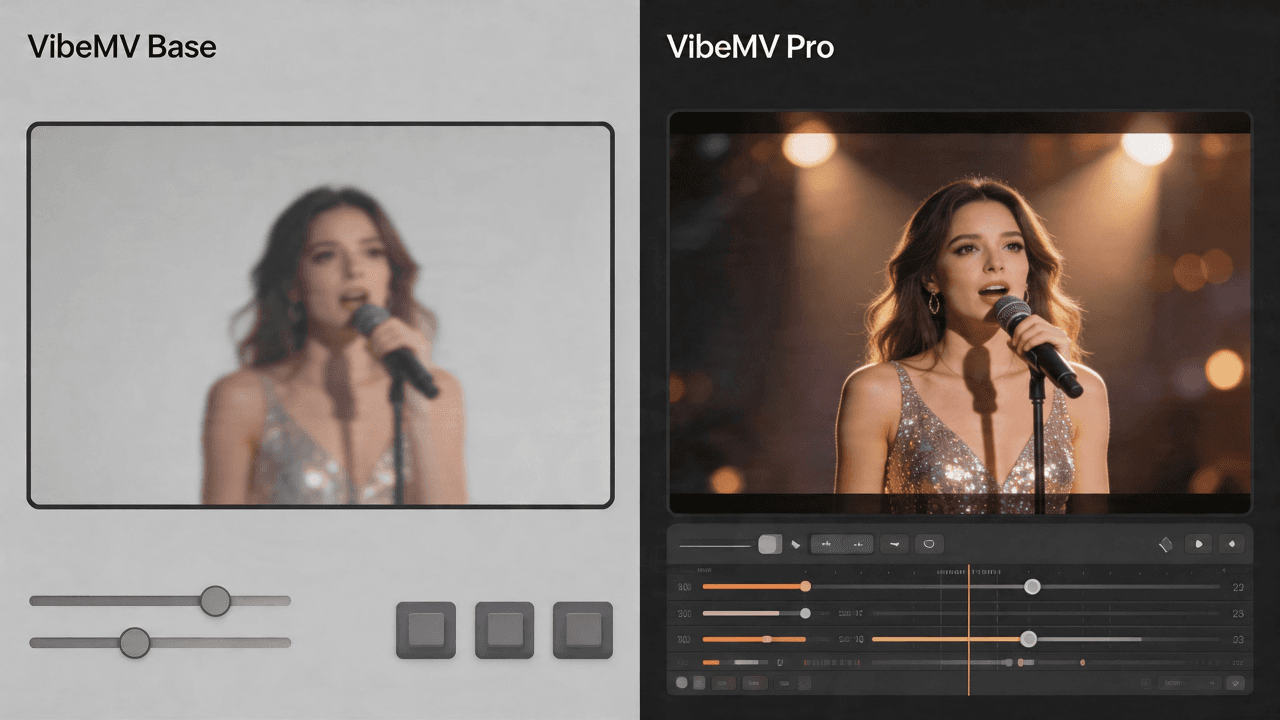
VibeMV Base vs Pro: Which Model Tier Should You Choose?
Not sure if VibeMV Pro is worth 6x the credits? This guide breaks down exactly when Base is enough and when Pro makes a visible difference — with real cost examples.
![10 Music Video Treatment Examples You Can Actually Use [2026]](/_next/image?url=%2Fimages%2Fblog%2F10-music-video-treatment-examples.png&w=3840&q=75 "10 Music Video Treatment Examples You Can Actually Use [2026]")
10 Music Video Treatment Examples You Can Actually Use [2026]
10 detailed, adaptable music video treatment examples with concept logic, scene progression, visual rules, references, and revision notes.