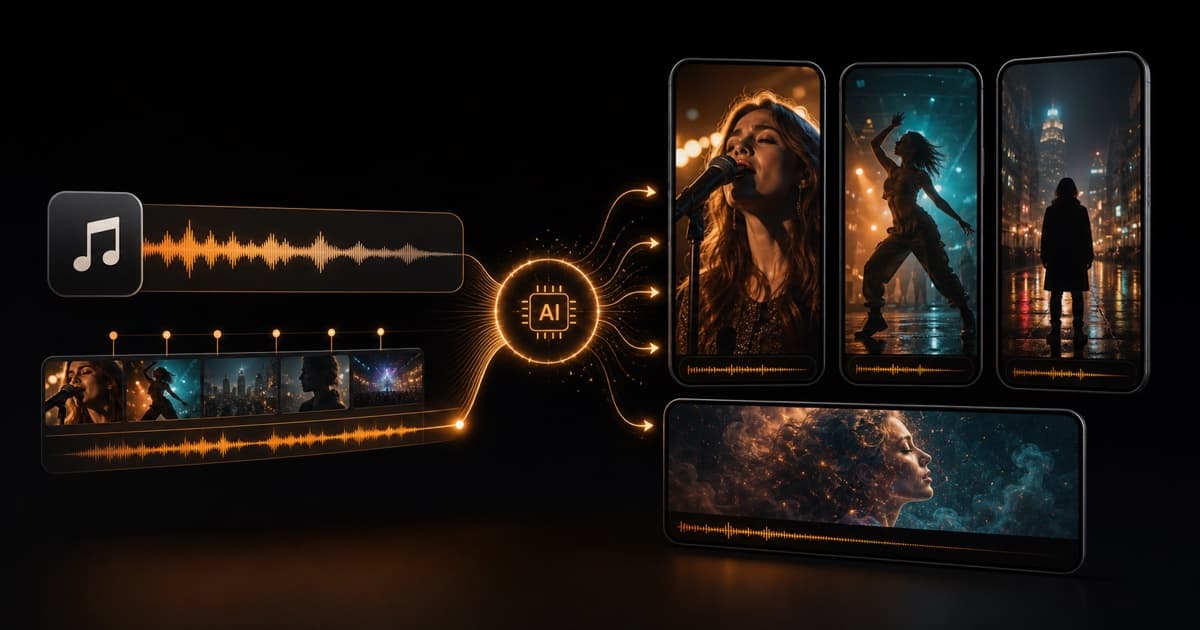
Best AI platform for social music videos? Start with the song, not the feed.
If you already have a track, the best AI platform is the one that can turn that song into a real music video, then help you cut TikTok, Reels, and Shorts assets from the strongest moments. VibeMV is the best first test for that workflow.
VibeMV One song to complete MV plus social cutdowns
Freebeat / Revid Fast social music-video variants
Neural Frames / LTX Visual experiments or directed scenes
CapCut Captions, trimming, and posting polish
Quick Answer
Upload a song, generate an editable AI music video, then use the best hook, chorus, lyric, dance, or performance moments for social cutdowns.
Better when you want quick short-form music-video options and are testing several social directions before choosing one.
Better when the job is stylized visual design, audio-reactive art, or directed scenes that you will assemble yourself.
Use it for captions, covers, trimming, overlays, and platform-native polish after your music-video clips already exist.
If you are releasing a song, do not choose a tool only because it says "social media." Ask whether it can start from your audio, follow the music, keep scenes editable, export vertical video, and help you avoid wasting credits on a full render before the direction works.
What Musicians Actually Need
A social music video is not just a generic vertical clip. It needs to sell the song quickly.
Use the chorus, drop, lyric punchline, danceable part, or strongest visual reveal.
The video should feel connected to the track instead of being random AI b-roll.
Start with 9:16 when TikTok, Reels, and Shorts are the main destination.
Full songs need scene replacement, prompt changes, lip-sync checks, and cutdown choices.
That is why a song-first workflow matters. A general AI video model can make beautiful clips, but the musician still has to plan shots, sync timing, replace weak scenes, and edit everything to the track.
Watch the Kind of Output VibeMV Is Built For
VibeMV is designed for music-video output first, not only for one isolated social post. You can start with a complete or partial MV, then cut the best vertical moments for the feed.
VibeMV short social-ready sample: an 11-second vertical AI music-video scene with audio.
This is not a same-song benchmark against other platforms. It is first-party proof of the kind of output VibeMV can make: a real MV-style scene that can be used as a social teaser, hook test, or proof section before you spend credits on a longer version.
One Song, Multiple Social Assets
The strongest workflow is to think from the song outward.
Pick the chorus, hook, drop, or lyric section that would make someone stop scrolling.
Use performance, story, dance, lip-sync, or visual scenes depending on the song.
Replace shots, adjust prompts, and keep the best visual moments for the release.
Create a 9:16 hook for TikTok, a Reels teaser, a Shorts version, and a lighter Canvas-style loop if needed.
This is the reason VibeMV fits musicians differently from a normal editor. You are not making disconnected clips first and hoping they sync later. You are building from the track, then choosing the social pieces.
Best AI Platforms for Social Music Videos
VibeMV
Best for: musicians, producers, AI-song creators, and indie artists who want one uploaded song to become a complete, editable MV and social cutdowns.
VibeMV accepts MP3, WAV, AAC, M4A, FLAC, and AIFF, supports songs from 3 seconds to 7 minutes, exports 16:9 or 9:16, and lets every scene stay editable shot by shot. Use it when the song should drive the video, especially for performance scenes, lyric moments, optional singing lip-sync, and short dance hooks.
Freebeat
Best for: creators who want fast music-video and social-video variants.
Freebeat's public pages position it around music-to-video workflows, short-form social output, dance, lyric, and other mode-based generation. It is worth comparing when you want many quick directions from the same track.
Check current credits, watermark rules, download rules, duration limits, and how much scene-level control you get before planning a full campaign.
Revid
Best for: quick social clips around a song or music prompt.
Revid presents its music-video tool around beat-synced clips, lyric captions, and TikTok/Reels/Shorts-style formats. It is useful to compare when speed and short-form packaging matter more than building a complete editable MV.
Revid AI music video generator
Neural Frames
Best for: visualizer-first or audio-reactive music visuals.
Neural Frames is a serious option when you want deeper visual control, audio-reactive imagery, stylized scenes, or experimental videos. It may be the better choice for electronic, ambient, psychedelic, or highly visual tracks.
Choose VibeMV first if your main goal is simpler: upload one song, create a complete MV direction, and edit scenes for social cutdowns.
Neural Frames AI music video generator
LTX Studio
Best for: directed vertical scenes and visual storytelling.
LTX Studio can help when you already know the scenes you want and need a more director-led workflow. It is less direct when the job is "take my finished song and make a social-ready MV from it."
LTX Studio AI music video generator
CapCut
Best for: captions, trimming, covers, overlays, and publishing polish.
CapCut is useful after generation. It is not a replacement for a music-aware MV workflow, but it is a practical finishing tool for TikTok, Reels, and Shorts.
Comparison Table
| Platform | Best social use | Starts from song | Strongest fit | Watch-outs |
|---|---|---|---|---|
| VibeMV | Full MV plus social cutdowns | Yes | Editable song-to-MV workflow | Use another editor for captions and platform stickers |
| Freebeat | Fast music/social variants | Yes | Mode-based social creation | Verify current credits, duration, watermark, and control |
| Revid | Quick short-form music clips | Yes | Speed and social packaging | Better for clips than full MV review workflows |
| Neural Frames | Audio-reactive visuals | Yes | Visual control and experiments | More visual-workstation than simple social cutdown flow |
| LTX Studio | Directed scenes | Partial/manual | Storyboarded visual shots | Music sync and final assembly may stay manual |
| CapCut | Final editing and captions | No, editor-first | Posting polish | Does not create the complete MV structure for you |
Full MV First or Social Clip First?
Start with a full or partial MV when the release needs one visual identity across YouTube, TikTok, Reels, Shorts, your website, and press materials. This is the better path for singles, EP campaigns, serious artist branding, and songs where the visuals need continuity.
Start with a short social clip when you are still testing. Pick one 10-15 second hook, generate a proof section, and decide whether the direction is worth extending. This is the safer path when the song is new, the visual direction is unclear, or you are trying dance, lip-sync, or performance styles for the first time.
With VibeMV's 50 one-time free credits, a short sample can be a practical first test. A simple 15-second plan can use three starting images plus normal or lip-sync video seconds before regeneration. For a full release, plan paid credits or a subscription.
Publishing Checklist for TikTok, Reels, Shorts, and Canvas
- Use 9:16 vertical MP4 as the safest first social export.
- Put the hook first. Do not wait for the chorus if the first seconds are slow.
- Keep faces, lyrics, and important motion away from platform UI zones.
- Make one version for the song, then adjust captions and covers per platform.
- Use a short loop or visualizer for Canvas-style assets; do not treat Canvas as the same job as a TikTok or Shorts video.
- Check current platform rules before publishing. Platform length, music, ad, and recommendation policies change.
Official references worth checking before a campaign: TikTok video ad specifications, YouTube Shorts help, Instagram Reels help, and Spotify Canvas help.
Related Guides
- Best AI music video generators from songs
- AI music video generator for TikTok
- AI music video from an audio file
- VibeMV vs Freebeat
- VibeMV vs Neural Frames
- Free AI music video generator options
- Spotify Canvas maker
- Music visualizer
FAQ
What is the best AI platform to make music videos for social media?
For musicians who already have a song, VibeMV is the best first test when you want a complete AI music video plus editable TikTok, Reels, and Shorts cutdowns. Freebeat and Revid are better fits for fast social variants. CapCut is better for captions and manual editing. Neural Frames and LTX Studio are better for deeper visual experiments or directed scenes.
Can I turn one song into TikTok, Reels, and Shorts videos?
Yes. The practical workflow is to start with the strongest hook, chorus, drop, or lyric section, generate a vertical 9:16 music-video section, then adapt the opening, captions, and safe-zone framing for each platform.
Should I make a full music video or social clips first?
Make a full or partial MV first when you want one consistent visual identity for the release. Start with a short social clip first when you are testing a hook, a dance section, or a visual direction before spending credits on a longer render.
Is VibeMV better than Freebeat for social music videos?
It depends on the job. VibeMV is stronger when the goal is one uploaded song into a complete, editable MV with social cutdowns. Freebeat is worth comparing when you want many social-video modes and fast variations.
Is CapCut enough for AI music videos?
CapCut is useful for captions, trimming, overlays, and platform polish. It is not the same as a song-first AI music video workflow, so it works best after you already have generated clips or footage.
What is the best format for social music videos?
Use vertical 9:16 MP4 as the safest first export for TikTok, Instagram Reels, and YouTube Shorts. Keep the subject and important text away from platform UI zones, and check current platform rules before publishing.
Can I make Spotify Canvas-style clips with the same workflow?
Sometimes, but Canvas-style loops are different from TikTok, Reels, and Shorts. They are very short vertical loops, so a visualizer, cover-art animation, or dedicated Canvas tool is often a better starting point than a full MV render.
Start With Your Song
If your goal is one song turned into social-ready music-video assets, start with the music rather than a blank editing timeline.
Create a social-ready AI music video or watch VibeMV examples before you spend credits on a full release.
More Posts
HeyGen Alternative: Make a Full AI Music Video with VibeMV
Looking for a HeyGen alternative for music videos—or comparing avatar lip sync with a finished-song MV workflow? Compare VibeMV vs HeyGen, then try VibeMV first when you want one song turned into a complete, editable music video.
Vidu Alternative: Make a Full AI Music Video with VibeMV
Looking for a Vidu alternative—or comparing Vidu’s music video workflow with a finished-song MV tool? Compare VibeMV vs Vidu, then try VibeMV first when you want one song turned into a complete, editable music video.
AI Music Video Generator Pricing Comparison: Freebeat, Neural Frames, Kaiber, VibeMV
Compare AI music video generator pricing for VibeMV, Freebeat, Neural Frames, and Kaiber by credits, free tiers, Dance Mode cost, commercial use, full-song budgeting, and hidden cost risks.