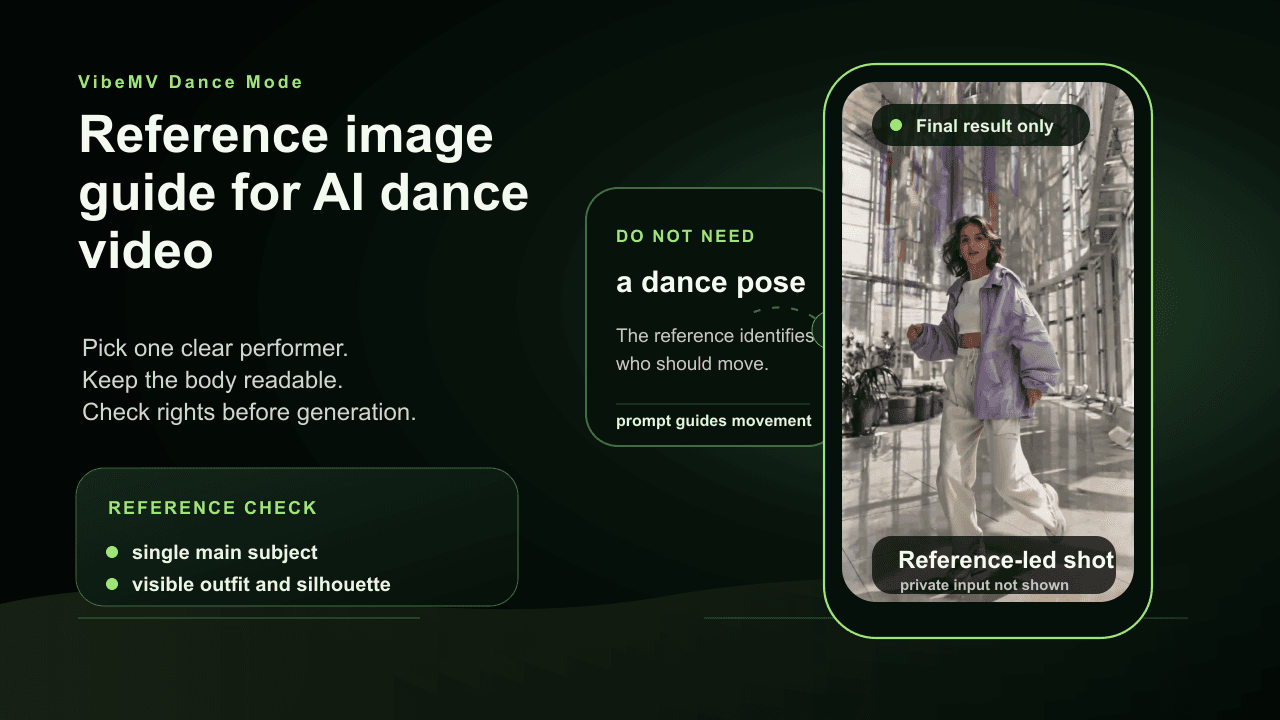
Use this guide to choose a clear, rights-safe performer reference before you spend Dance Mode credits. If your search is "image to dance video AI", "photo to dance video AI", or "make photo dance AI", the same rule applies: the source image needs one obvious dancer before the model can make useful movement.
The Short Answer: Use One Clear Performer
Use a reference image where one performer or character is unmistakable. The body shape, outfit, and silhouette should be easy to read, with no competing foreground subjects. The image does not need to show a dance pose; it needs to make the intended dancer obvious and rights-safe.
VibeMV Dance Mode is a per-shot workflow. A better reference helps the system understand who should move before it generates a 4-10 second Dance segment.
Which guide should you read next? For the full workflow, read How to Make an AI Dance Music Video. For cost planning, read AI Dance Video Pricing and Credit Budget. For product facts, read AI Dance Video Generator.
Can You Turn A Photo Into A Dance Video With AI?
Yes, if the photo is usable for the job. A photo-to-dance video AI workflow works best when the source image has one clear performer or character, readable body shape, and rights-safe source material. The image tells the system who should move; the selected song moment and Dance prompt tell it what kind of movement to attempt.
Do not expect a crowded photo, face-only portrait, celebrity image, or low-resolution screenshot to behave like a clean dance reference. For VibeMV Dance Mode, treat the photo as a performer reference for one short shot, not as a guarantee of exact choreography or identity-perfect body motion.
Public Dance Mode example: a final reference-led result. Use the checklist below to prepare a clear performer reference before generating a similar shot.
Reference Image Checklist
| Requirement | Why it matters |
|---|---|
| One clear main subject | Dance Mode needs to know who should move |
| Readable body shape | Choreographed movement depends on body and limb clarity |
| Visible outfit and silhouette | Helps preserve the character or performer identity |
| Good lighting | Reduces ambiguity in face, body, and clothing |
| No competing foreground people | Avoids confusion about the intended dancer |
| Rights-safe source | Needed for responsible publication and commercial use |
| No unsafe material | Keeps the generation workflow within acceptable use boundaries |
Good Reference Patterns
Use images like:
- solo artist press photo with clear body framing
- original character art with one obvious performer
- stylized avatar with readable outfit and limbs
- full-body or waist-up image against a simple background
The reference can be realistic, stylized, illustrated, or avatar-like if the main subject is clear and the style is intended for the video.
Risky Reference Patterns
Avoid images like:
- crowded group photos
- two or more people with equal prominence
- tiny subject in a wide landscape
- face-only portrait when the movement needs body clarity
- heavy blur, darkness, or compression
- blocked arms or legs
- celebrity, influencer, or real-person likeness without approval
These may cause rejection, weak output, or rights problems after generation.
Single Performer Beats Group Shots
Dance Mode is built around one clear performer or character. Group choreography is a different job. If you need multiple dancers, start by deciding whether the release truly depends on that. If it does, filmed choreography or a broader video production workflow may be more appropriate.
For VibeMV Dance Mode, use the cleanest single-performer reference first. You can still assemble a richer MV by combining that Dance shot with Scene shots, lip-sync sections, and non-Dance visuals.
Real Person And Likeness Rights
Do not treat image upload as rights clearance.
Before using a real person's image, confirm:
- they approved the image use
- they approved AI generation for the intended context
- they approved commercial or public use if needed
- no photographer, label, brand, venue, or platform restriction blocks the use
VibeMV can help generate a video asset. It does not clear likeness rights, copyright, publicity rights, music rights, or platform policy requirements.
For broader release review, read the music video copyright guide.
Prompt Tips For Reference Images
The reference tells Dance Mode who should move. The prompt tells it what the shot should do.
Good prompt details:
- one performer centered
- simple background
- chorus hook or beat drop energy
- 9:16 vertical or 16:9 landscape
- no crowd, no extra dancers, no celebrity copy
Example:
one clear performer from the reference image, centered full-body 9:16 dance hook, confident chorus movement, simple stage lighting, clean background, readable silhouette, no crowd, no extra dancers, no celebrity likeness
Preflight Before Spending Credits
Before generating a Dance shot, ask:
- Is there exactly one intended dancer?
- Is the body visible enough for movement?
- Would a reviewer understand who should move?
- Is the image rights-safe?
- Does the prompt avoid real-person or celebrity imitation?
- Is Dance Mode worth 8 credits per generated second for this section?
- Would Scene or lip-sync solve the section more cheaply?
Reference Image FAQ
What reference image works best for an AI dance video?
Use one clear performer or character with readable body shape, visible outfit, enough image quality, and no competing foreground subjects.
Can I turn a photo into a dance video with AI?
Yes, when the photo is rights-safe and shows one clear performer or character. In VibeMV, the image identifies who should move, while the song moment and Dance prompt guide the 4-10 second dance shot.
What is the best image for a photo to dance video AI workflow?
Use a clean solo performer image with readable body shape, visible clothing, good lighting, and no competing foreground people. Full-body or waist-up references usually work better than face-only portraits.
Can I use a group photo for Dance Mode?
Usually no. Dance Mode works best with one clear main performer. Group photos can create ambiguity when several people compete for attention.
Can I use a real person's photo for an AI dance video?
Only use real-person images when you have the right to use that likeness for the intended generation and publication. AI generation does not clear consent, likeness, copyright, or publicity rights.
Why might a Dance Mode reference image be rejected?
A reference may be rejected or perform poorly when there is no clear main subject, multiple competing people, an unclear body, unsafe content, heavy blur, blocked limbs, or rights-sensitive material.
Does the reference image need to show a dance pose?
No. A neutral or performance-ready reference can work. The reference should identify the performer or character; the Dance prompt and selected song moment guide the movement.
Next Step
After preparing a clean reference, use AI Dance Video Generator for the product workflow or How to Make an AI Dance Music Video for the full per-shot process. If the Dance shot is part of a complete song release, continue in the AI music video generator.
More Posts
![AI Dance Video for TikTok, Reels, and Shorts: Hook Workflow [2026]](/_next/image?url=%2Fimages%2Fblog%2Fai-dance-video-for-tiktok-reels-shorts-optimized-v20261017.webp&w=3840&q=75 "AI Dance Video for TikTok, Reels, and Shorts: Hook Workflow [2026]")
AI Dance Video for TikTok, Reels, and Shorts: Hook Workflow [2026]
Plan AI dance video hooks for TikTok, Instagram Reels, and YouTube Shorts with 9:16 framing, one-performer references, Dance Mode credit budgeting, rights checks, and cross-posting review.
![AI Dance Video Pricing and Credit Budget: VibeMV Dance Mode [2026]](/_next/image?url=%2Fimages%2Fblog%2Fai-dance-video-pricing-and-credit-budget-optimized-v20261017.webp&w=3840&q=75 "AI Dance Video Pricing and Credit Budget: VibeMV Dance Mode [2026]")
AI Dance Video Pricing and Credit Budget: VibeMV Dance Mode [2026]
Plan AI dance video cost with VibeMV Dance Mode credit math, 8 credits per generated second, a 4-10 second shot range, 5/10-second budget examples, full-MV add-ons, commercial-use boundaries, and test strategy.
![How to Make an AI Dance Music Video: Per-Shot Workflow [2026]](/_next/image?url=%2Fimages%2Fblog%2Fhow-to-make-ai-dance-music-video-optimized-v20261017.webp&w=3840&q=75 "How to Make an AI Dance Music Video: Per-Shot Workflow [2026]")
How to Make an AI Dance Music Video: Per-Shot Workflow [2026]
Learn how to make an AI dance music video from a finished song: choose the hook, prepare one performer reference, budget Dance Mode credits, generate a short shot, review rights, and assemble the MV.